Talk instead of typing
The audio gets transcribed on your own PC and never leaves it. Every recording lands in History, where you can search it, replay it or run it through again.
Kora is the name I put on everything I make. Right now that's five apps: a dictation island for Windows, a training log for lifters and coaches, a food diary, and two file tools. The two web apps are live. Island has a Windows installer. Search and Sort are test builds I send out myself.
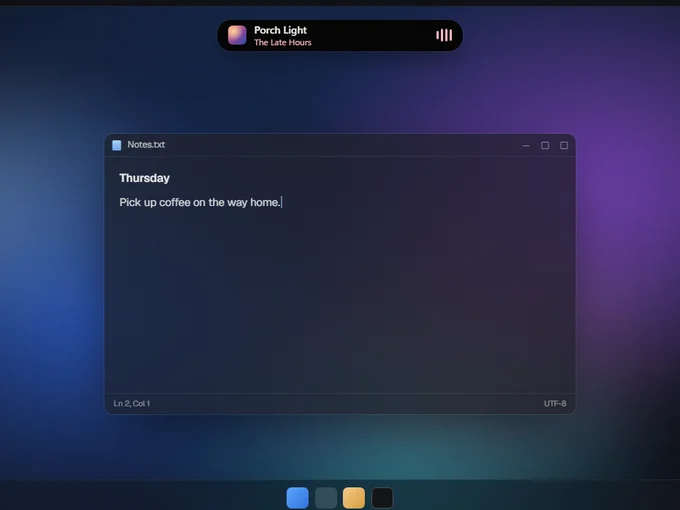
Pick up coffee on the way home.
Two run in a browser and three on Windows. The label next to each one says how far along it is, and "experimental" means it will sometimes break.
Island v0.3.2 · Experimental
Island sits up where a phone would put its camera notch. Hit a shortcut, talk, and Kora Voice types what you said into whatever app you were in. The transcribing happens on your PC. The rest of the time it's a clock, a music player, the weather and somewhere to keep notes.
The audio gets transcribed on your own PC and never leaves it. Every recording lands in History, where you can search it, replay it or run it through again.
Album art in the pill, level bars that move with your audio, and synced lyrics in your accent color. Scroll on it to change the volume.
Island grabs whatever is behind it and bends it at the edge with a pixel shader, plus a little color split. While the background moves, it redraws 30 times a second.
Lift Invite-only
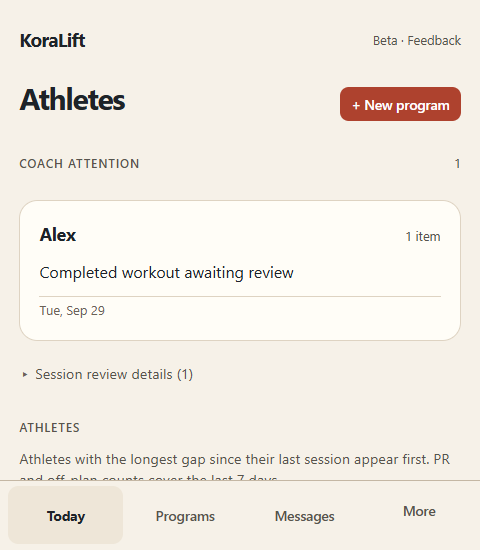
The plan stays on screen while you log, with the target weight and what you did last time right there. Coaches get a list of finished sessions to look over, plus messages and form-check videos.
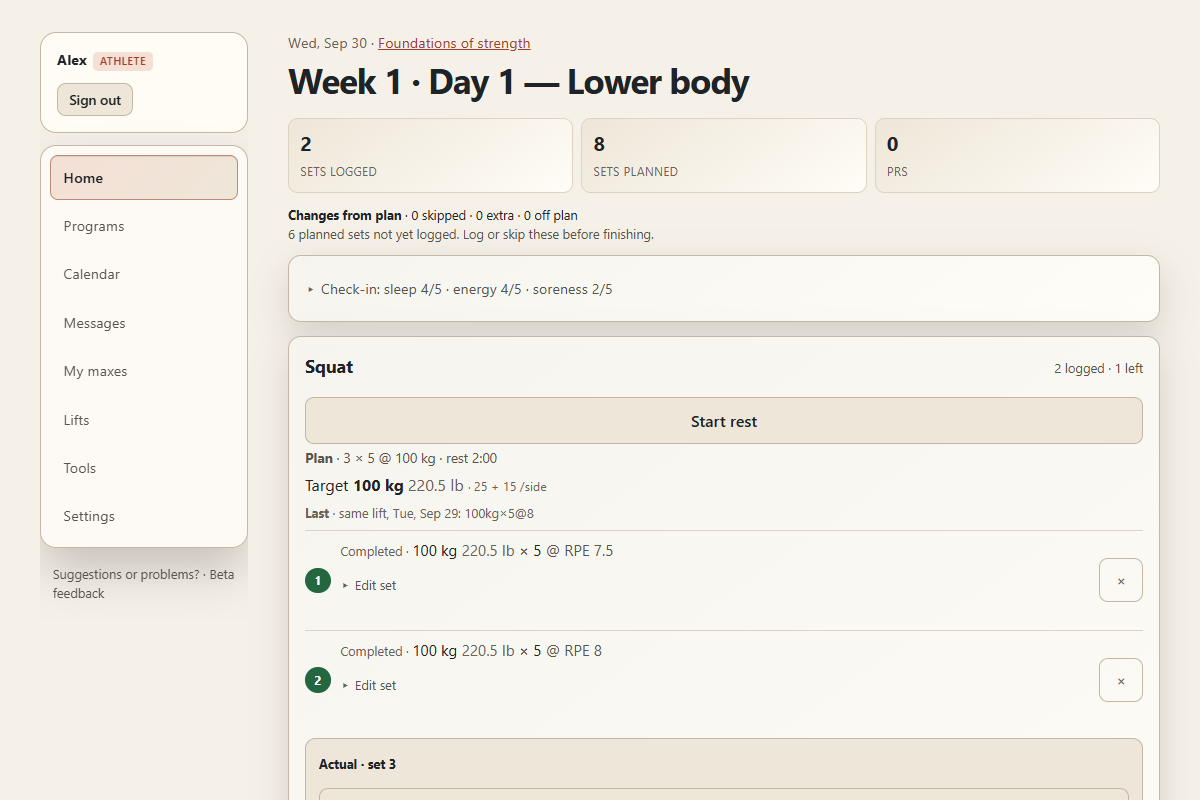
Reps, weight, rest, and how hard each set should feel. Add training maxes and the percentages turn into real weights.
Weight, reps, and RPE or RIR. There's a rest timer, and a quick check-in on sleep, energy and soreness before you start.
Anywhere you went off plan shows up, and the reply goes right on that session.
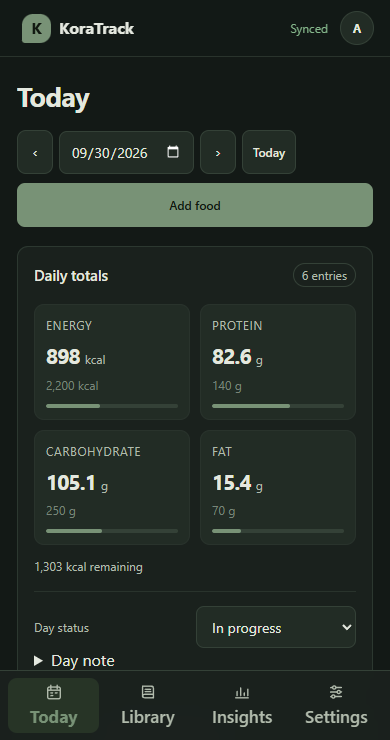
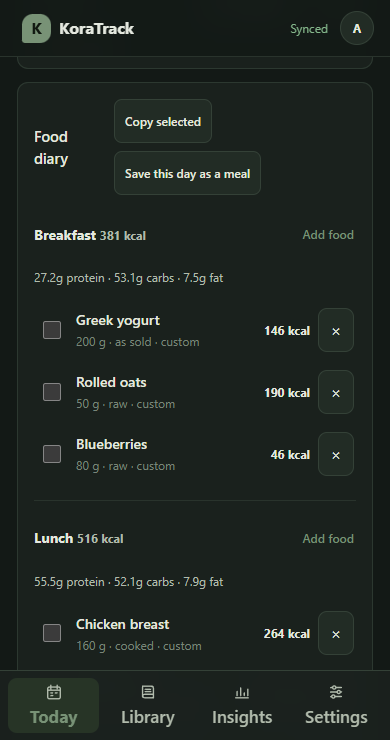
Track For Lift accounts
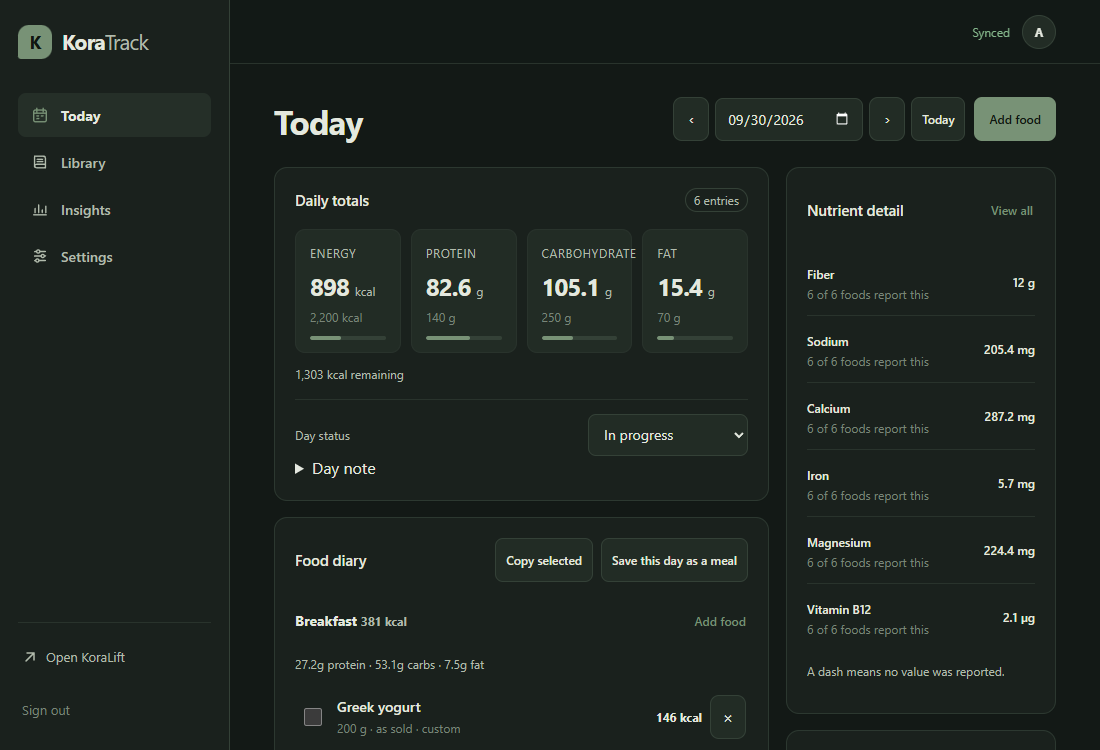
Cook a batch from a recipe, see what is in the fridge and when it runs out, and shop for what is missing. Eating a container is one tap into your diary, which still shows its numbers so you can fix them before they count.
Search and Sort are Windows apps too. Neither one uploads anything.
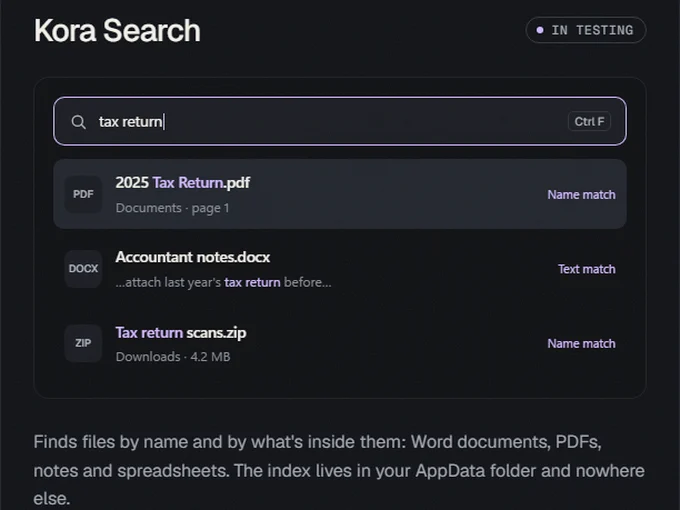
Search by file name or by what's inside, in Word docs, PDFs, notes and CSVs. The index stays in your AppData folder.
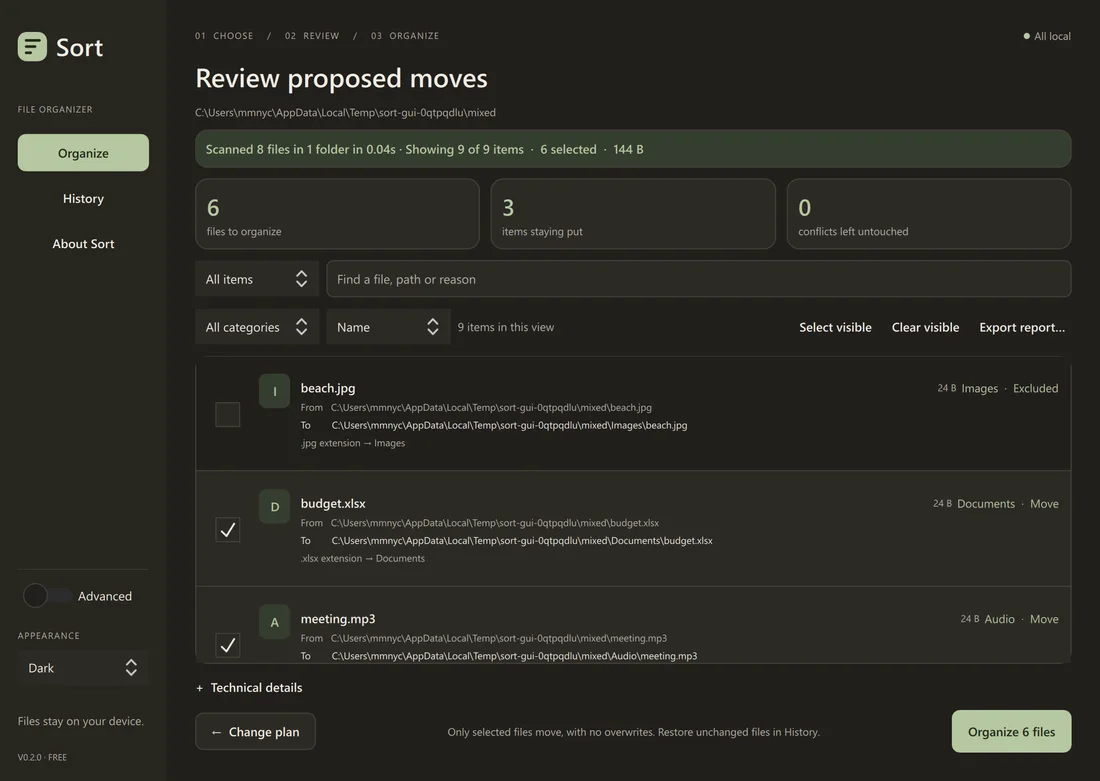
Sort shows you every move before it makes it. It won't overwrite or delete anything, and you can undo from History. The version I'm testing now can also sort by project, using a model that runs on your own PC.
It's just me working on these, so the rules are mine. Nothing goes out to anyone until it passes both.
Island transcribes locally. Search keeps its index in AppData. Sort works from a local history file and doesn't touch the network. None of the desktop apps have telemetry, this site has no analytics, and nothing updates itself in the background.
Sort previews every move. Track has you check a portion before it's logged. Lift keeps the plan right next to what you lifted.